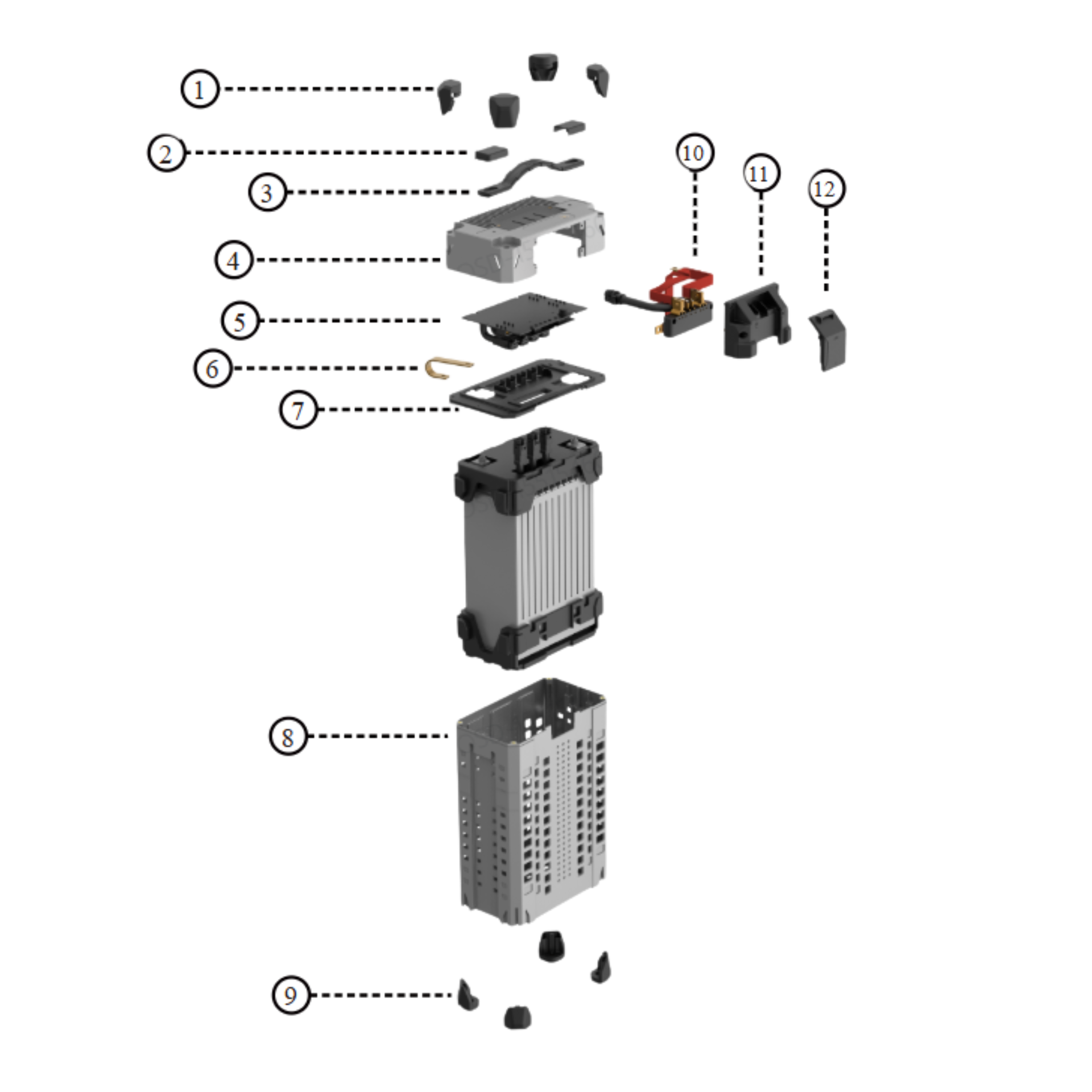
XAG P150 Max 2025
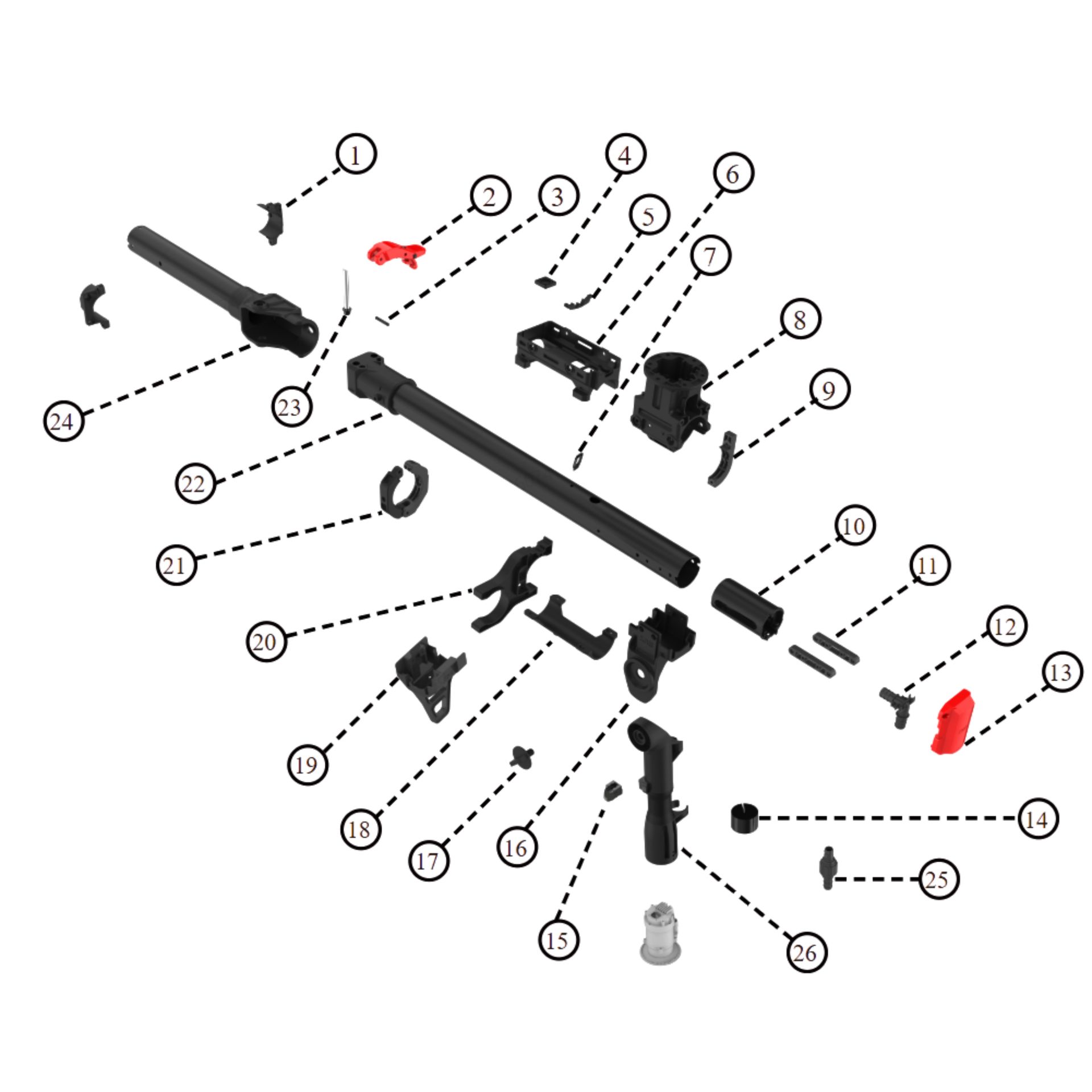
XAG P150 Max 2025 > Arm > Frame
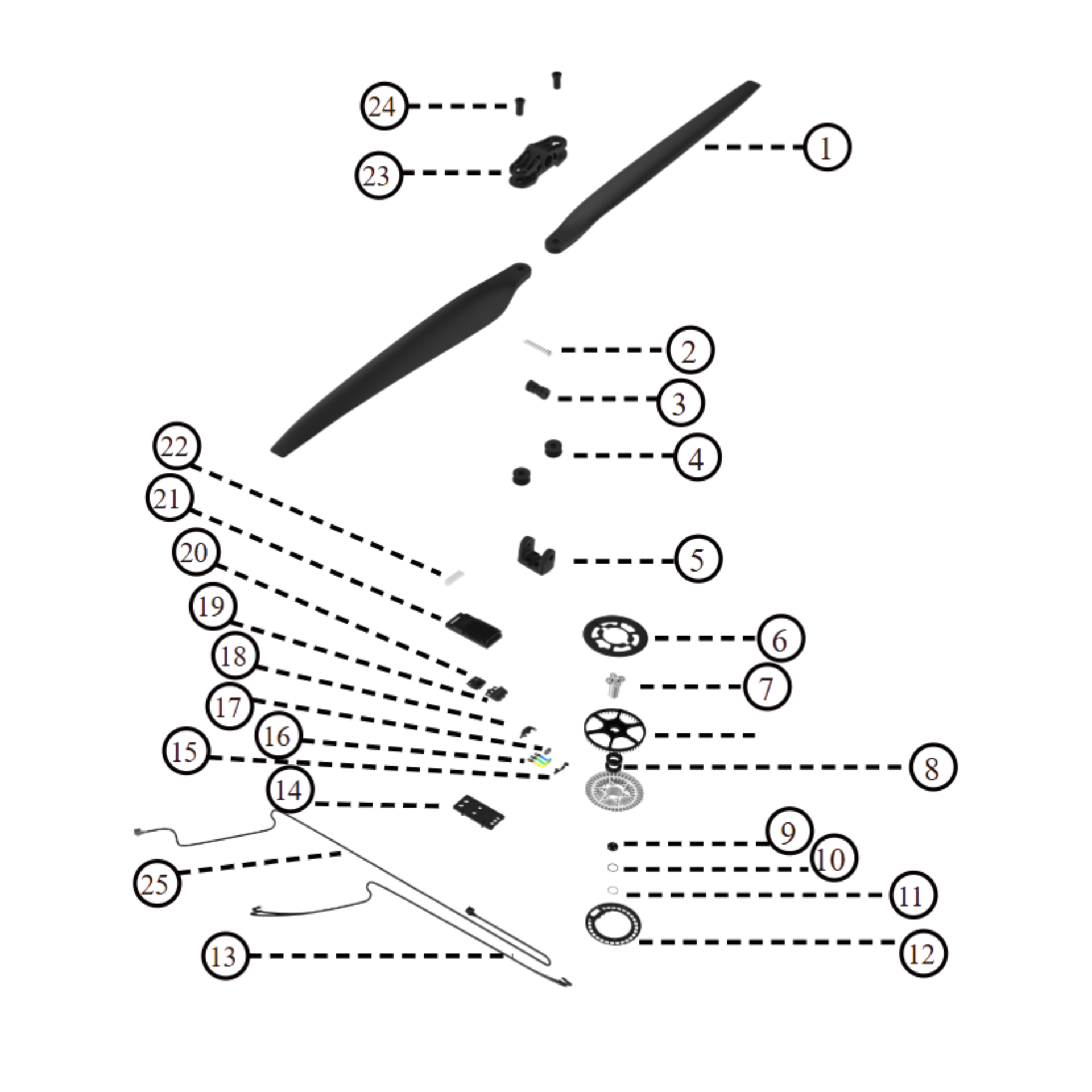
XAG P150 Max 2025 > Arm > Power System
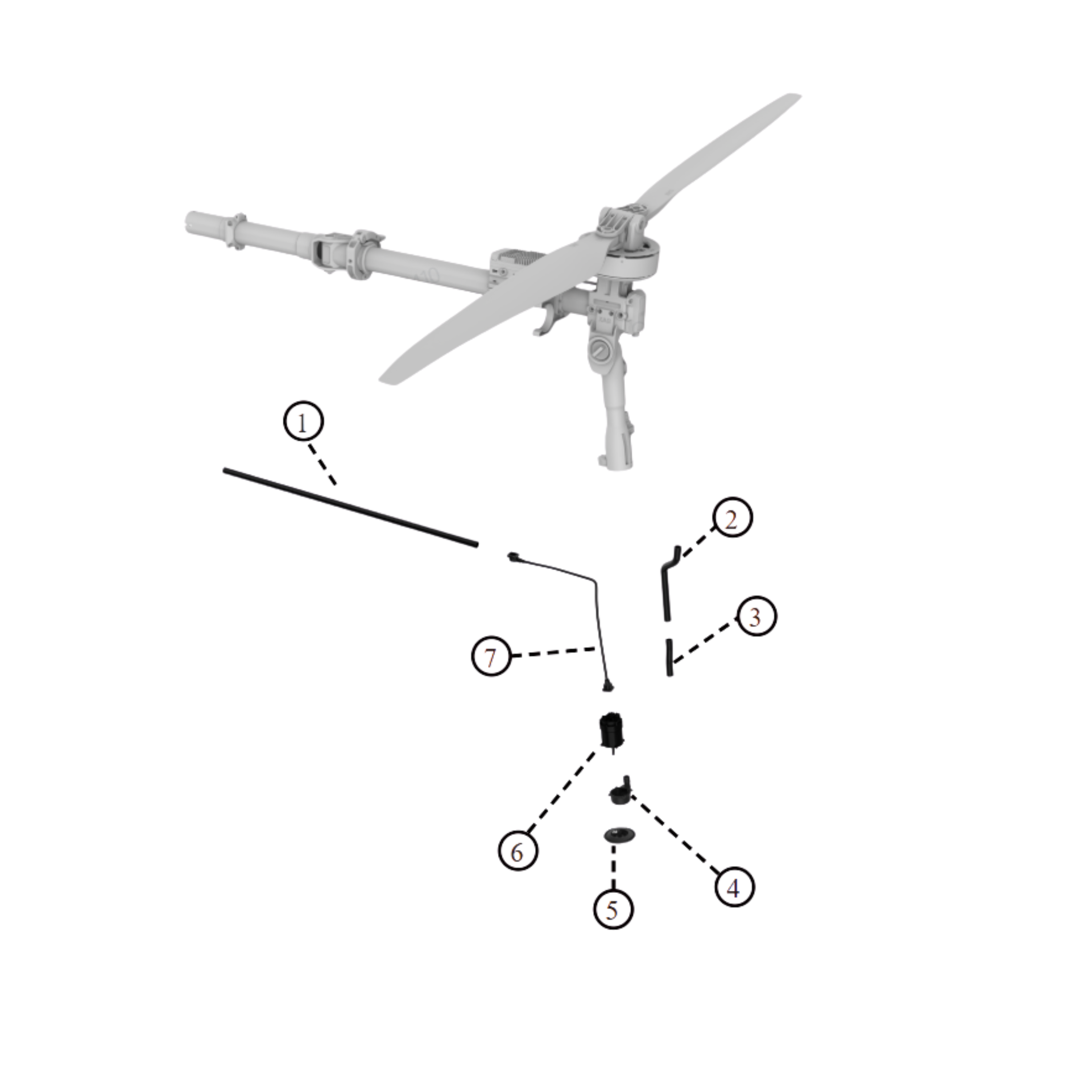
XAG P150 Max 2025 > Arm > RevoSpray system
XAG P150 Max Module Parts
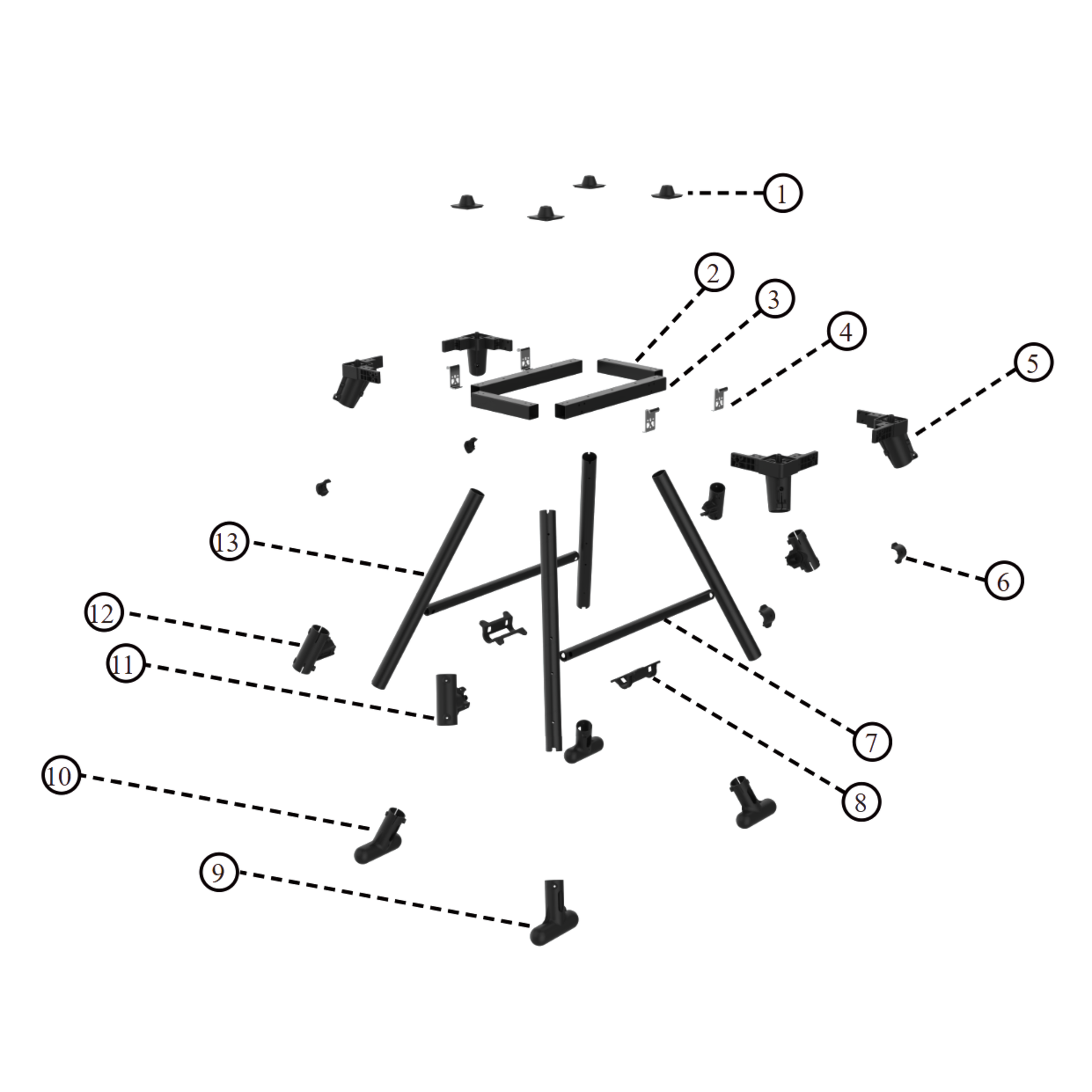
XAG P150 Max 2025 > RevoSpray > Mainbody
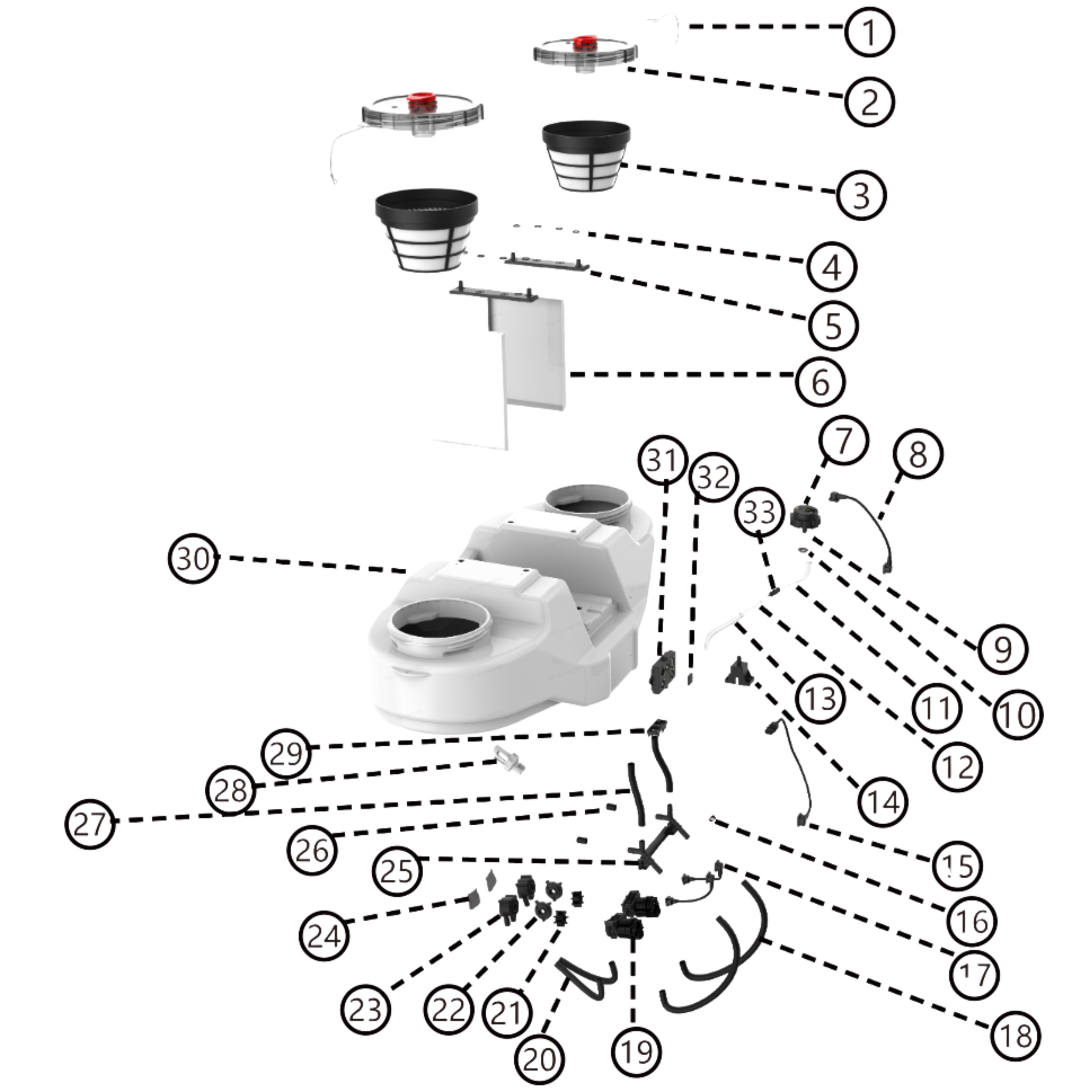
XAG P150 Max 2025 > RevoSpray > RevoSpray System
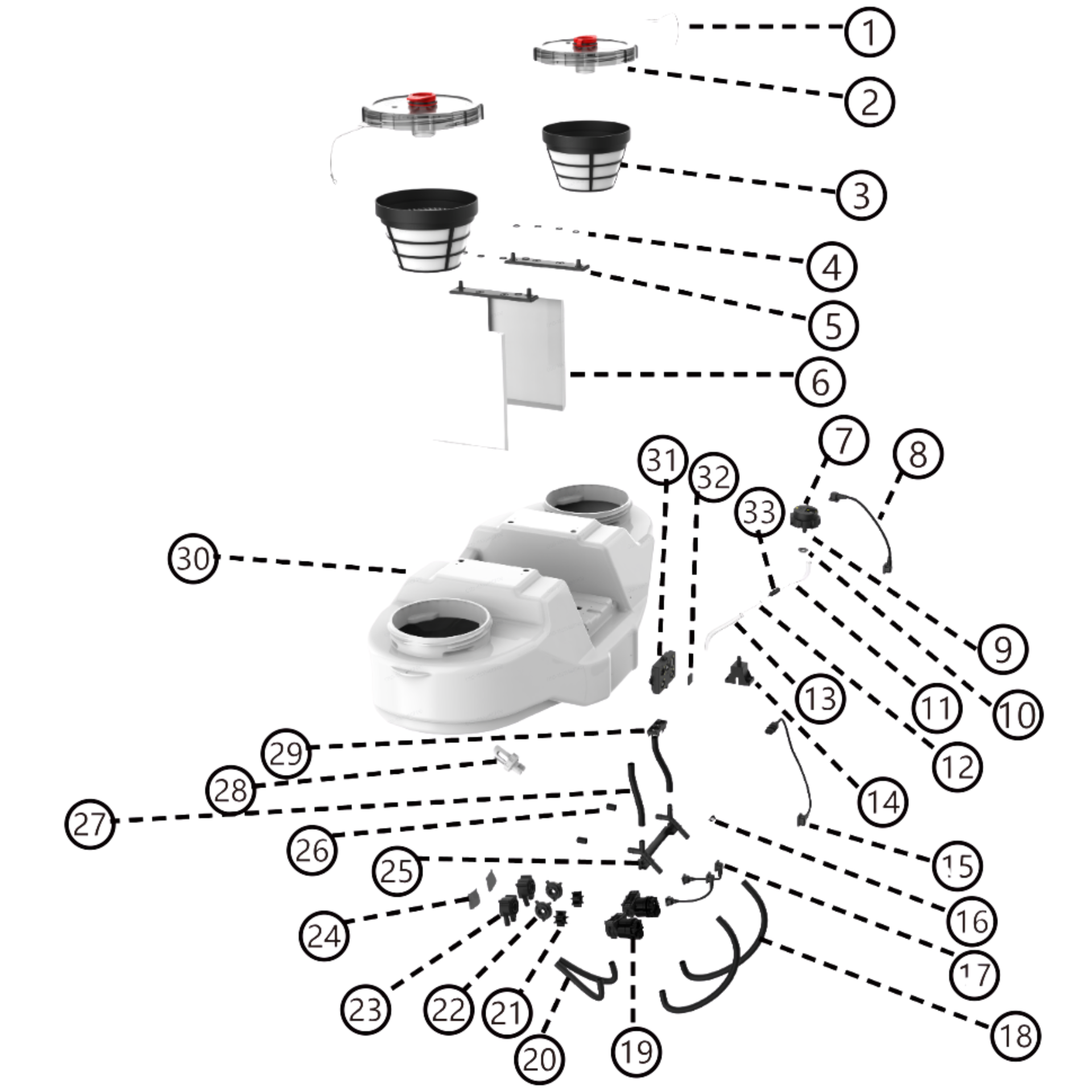
XAG P150 Max 2025 > RevoCast > Mainbody
XAG P150 2024
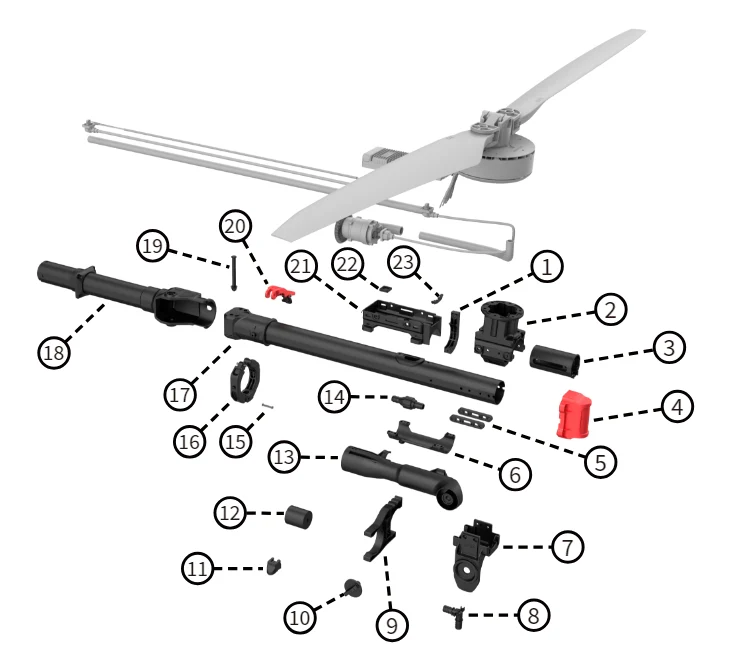
XAG P150 2024 > Arm > Frame
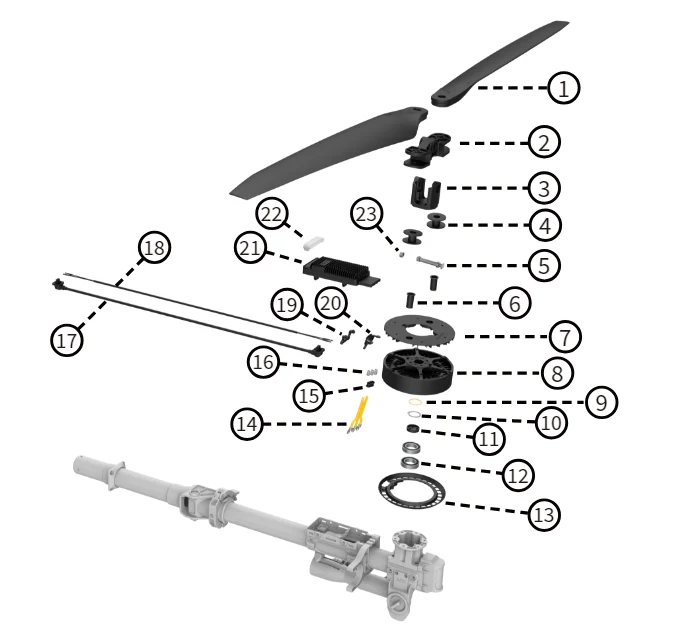
XAG P150 2024 > Arm > Power system
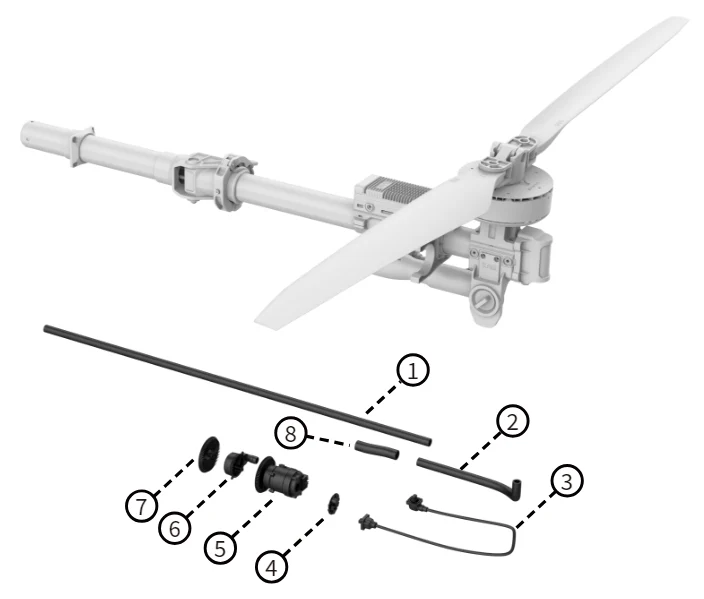
XAG P150 2024 > Arm >RevoSpray System
XAG P150 Module Parts
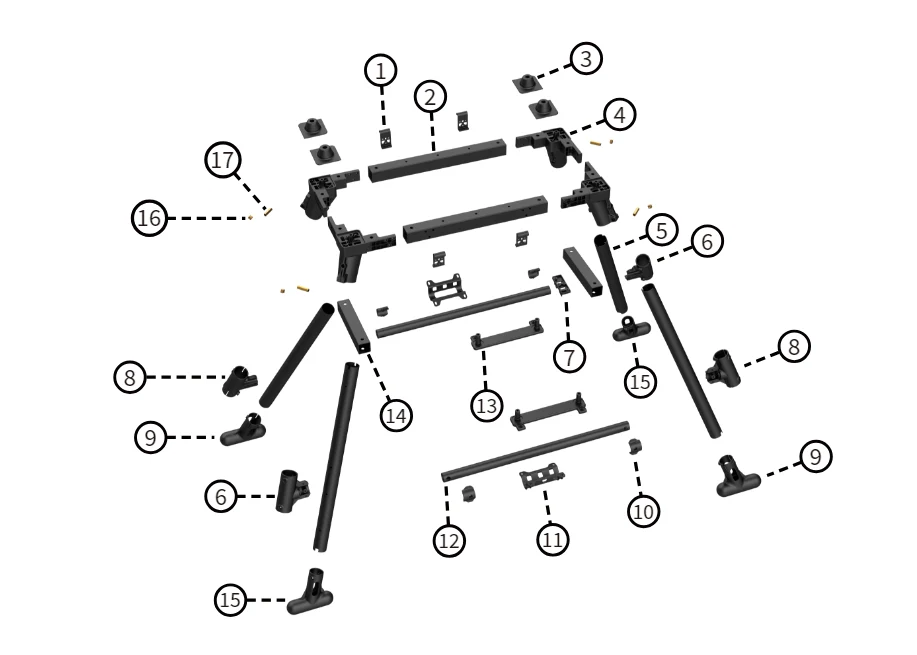
XAG P150 2024 > RevoSpray > Mainbody
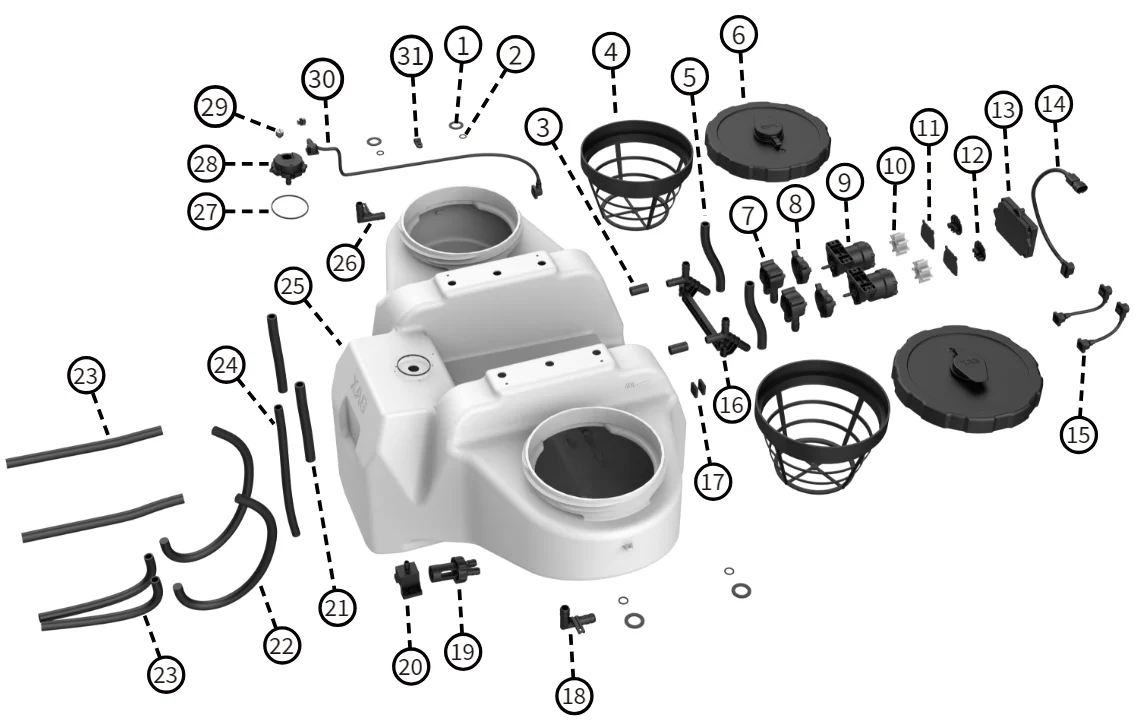
XAG P150 2024 > RevoSpray > RevoSpray System
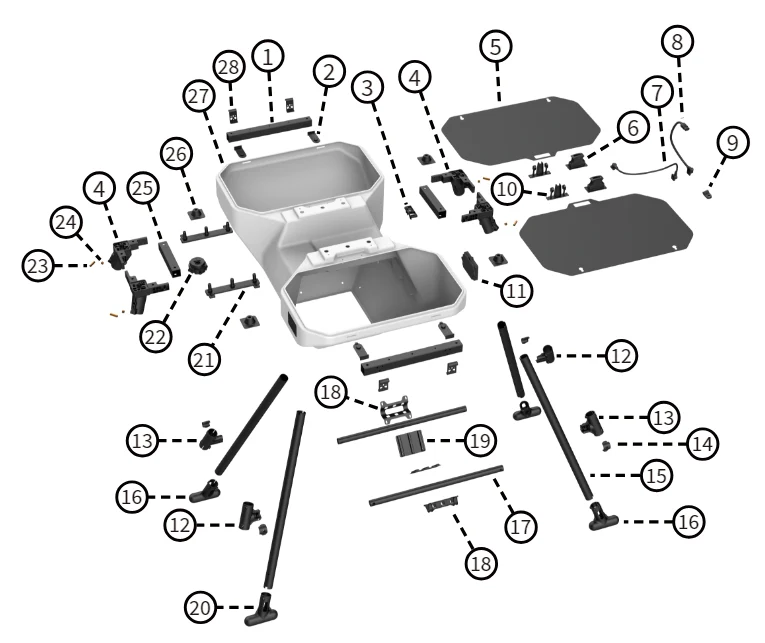
XAG P150 2024 > RevoCast > Mainbody
XAG P100 Pro 2023
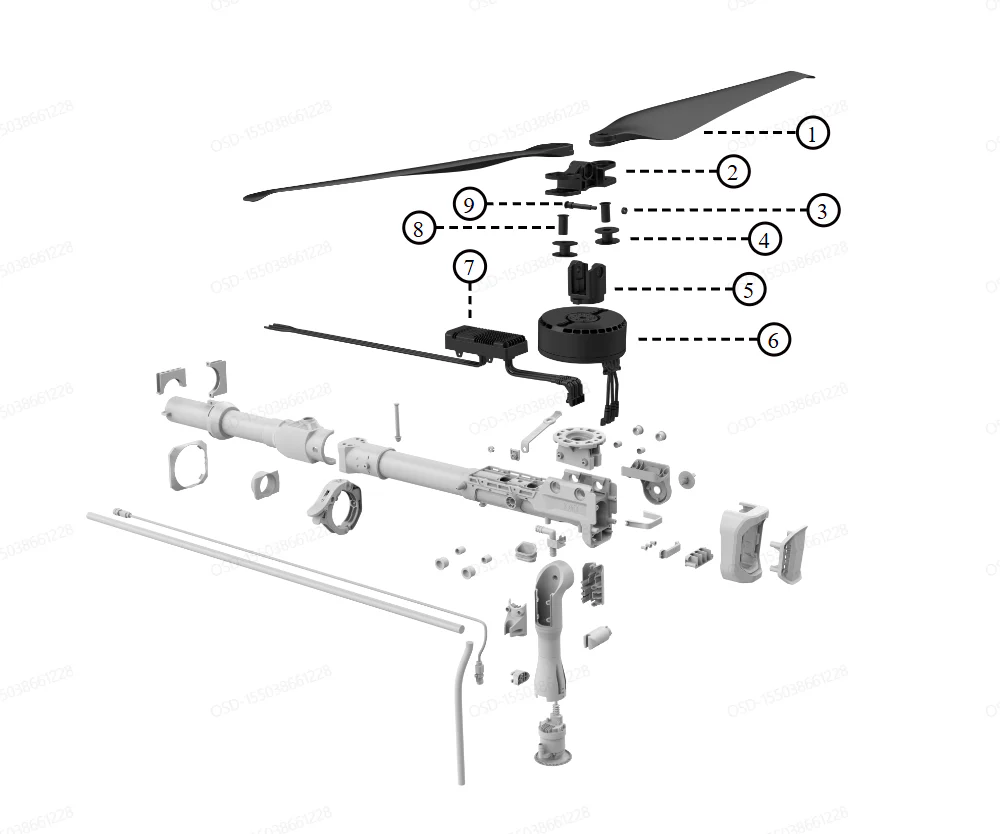
XAG P100 Pro 2023 > Arm > Power System
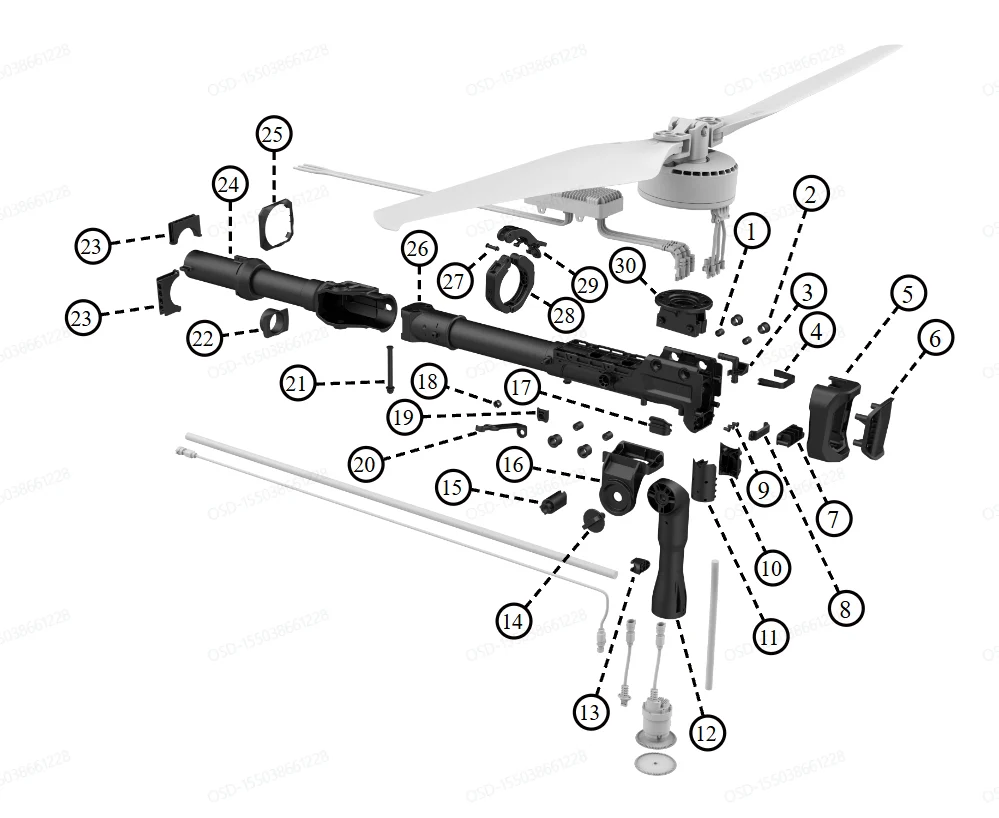
XAG P100 Pro 2023 > Arm > Frame
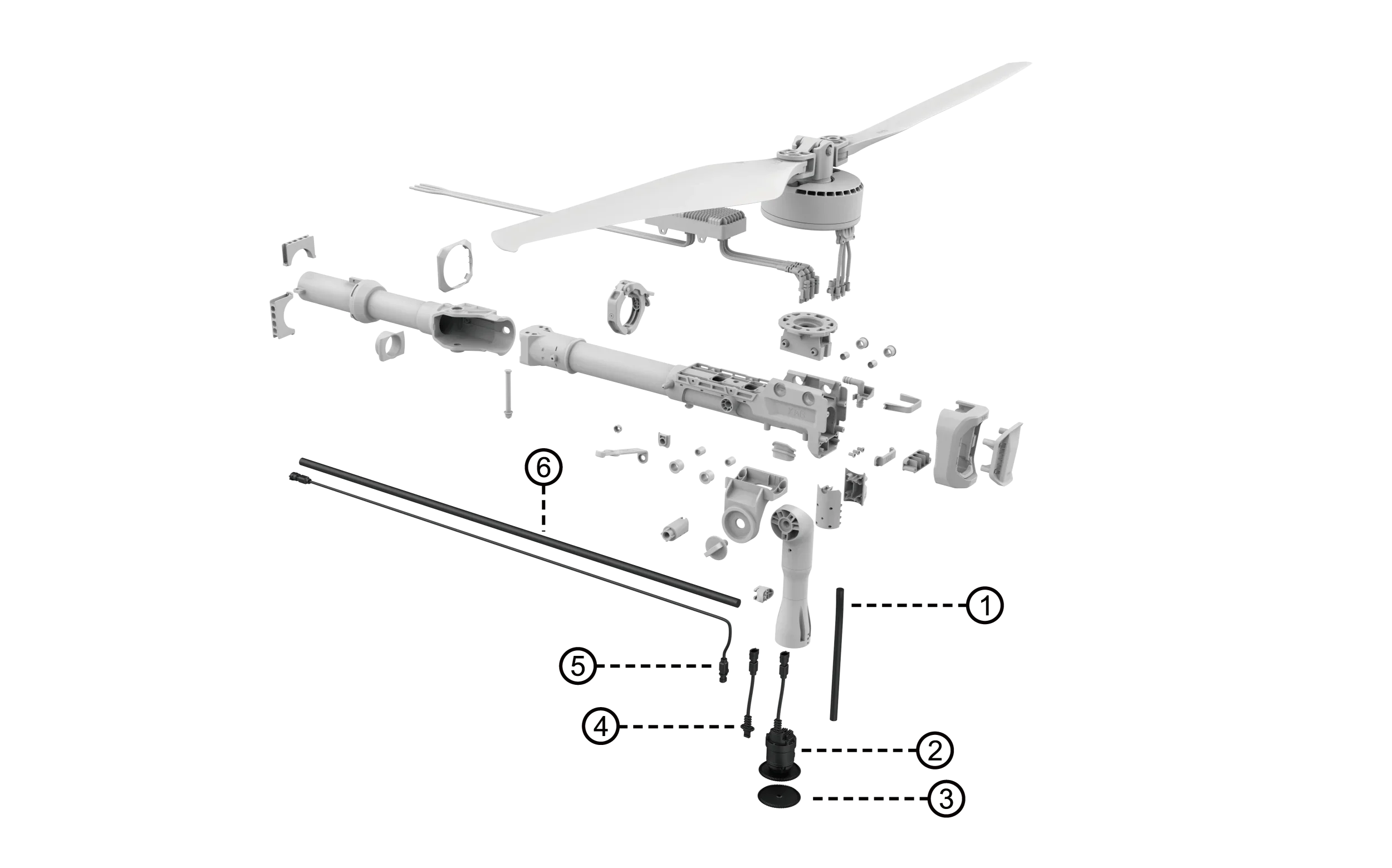
XAG P100 Pro 2023 > Arm > RevoSpray System
XAG P100 Pro Module Parts
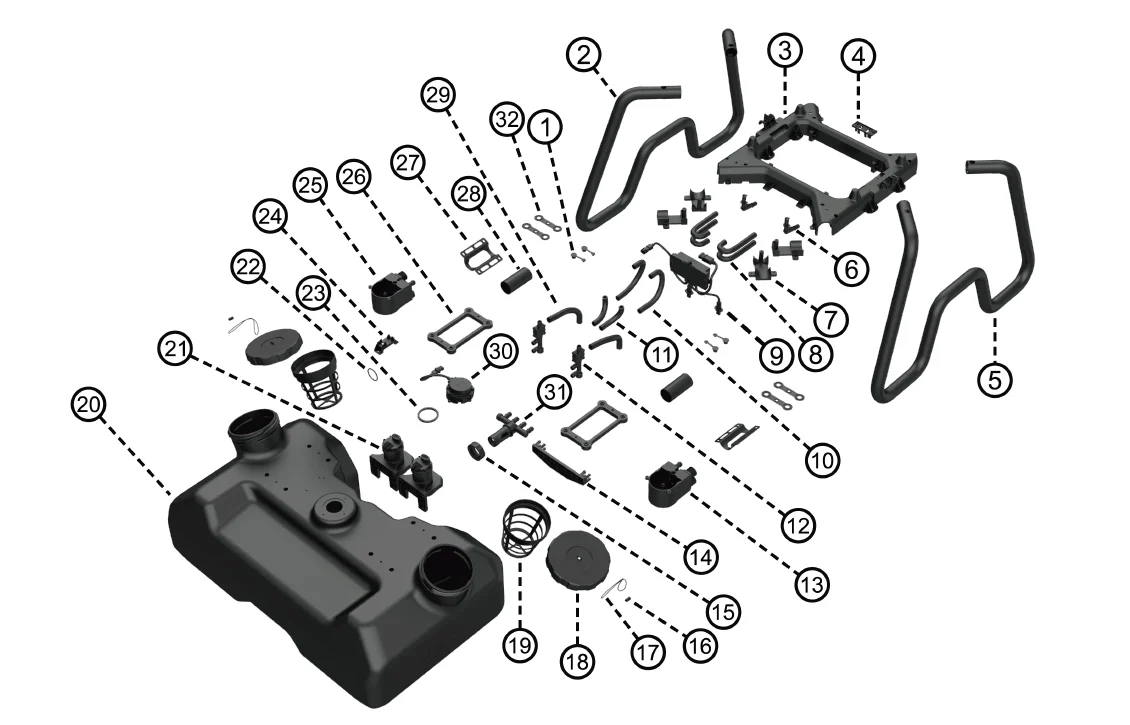
XAG P100 Pro 2023 > RevoSpray > Mainbody
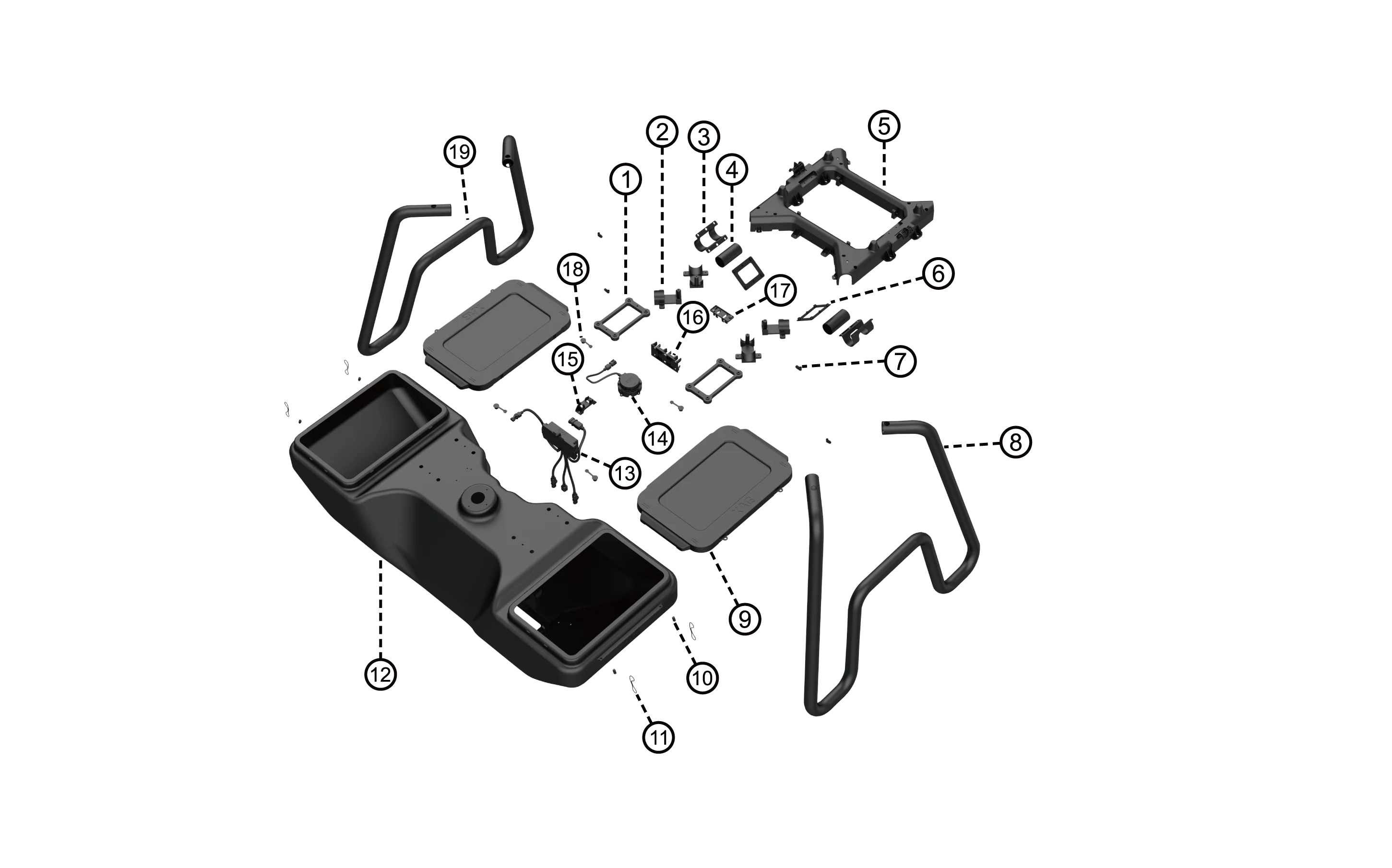
XAG P100 Pro 2023 > RevoCast > Mainbody
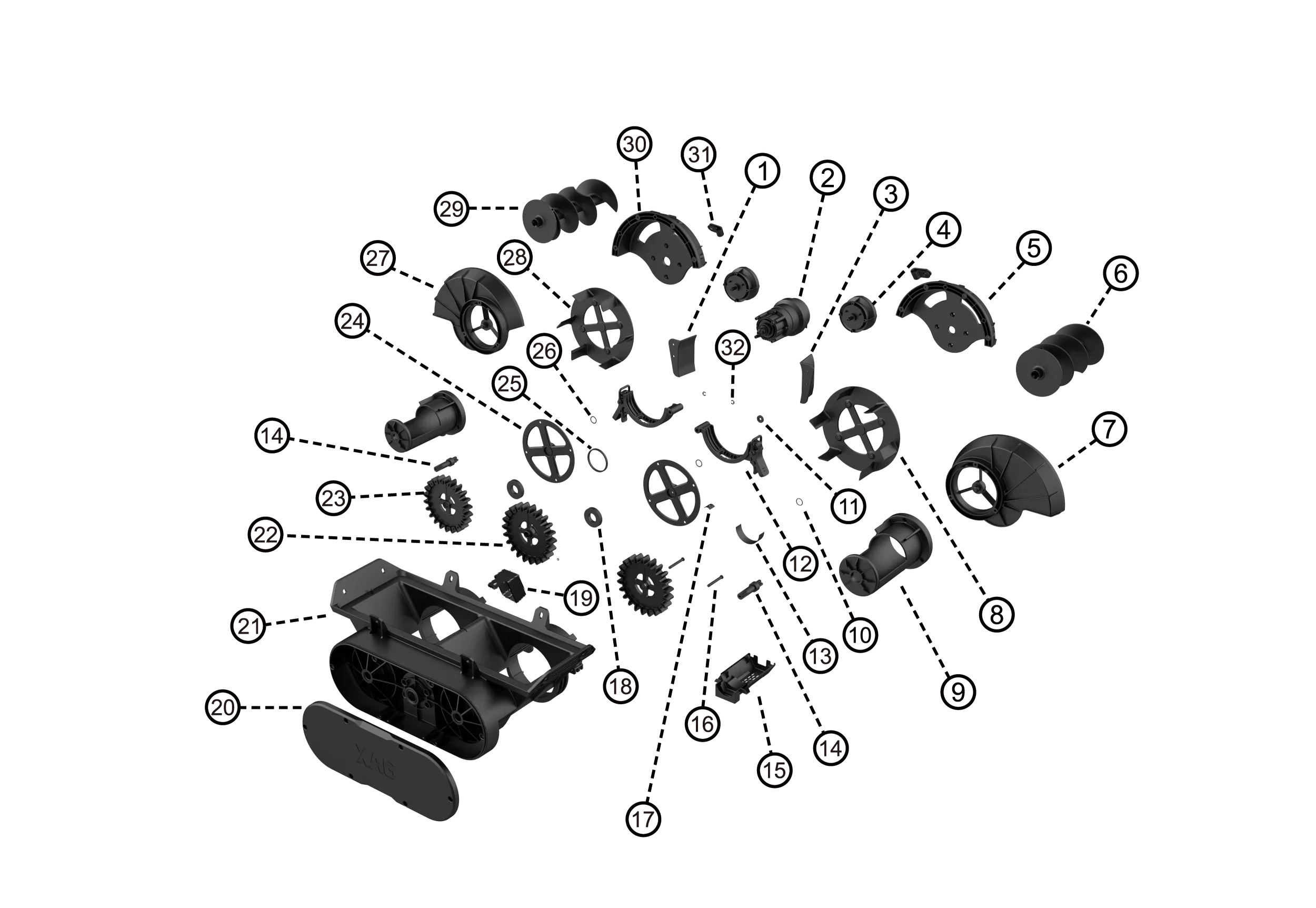
XAG P100 Pro 2023 > RevoCast > RevoCast System
XAG Accessory Products
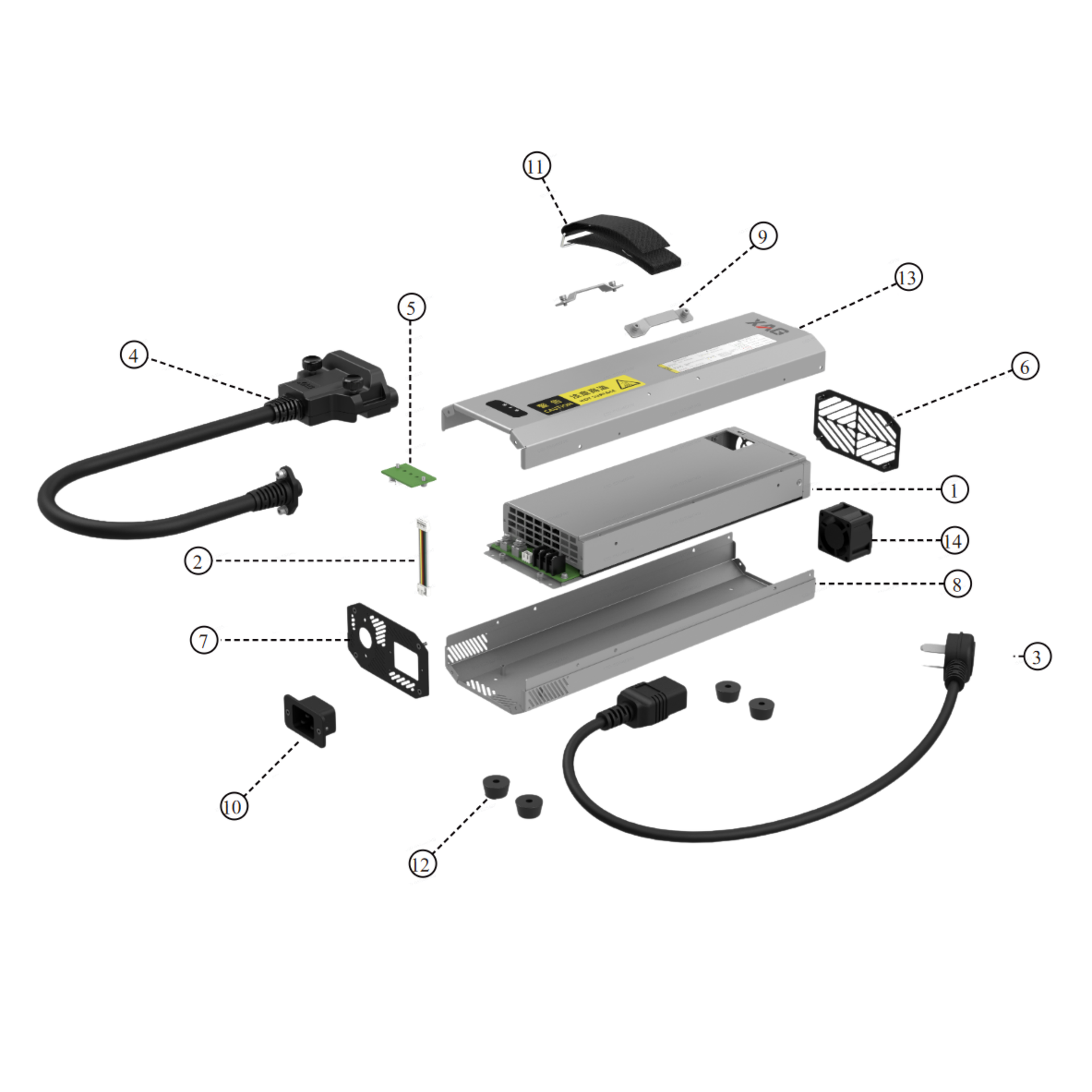
XAG Accessory Products > CM13600S Charger
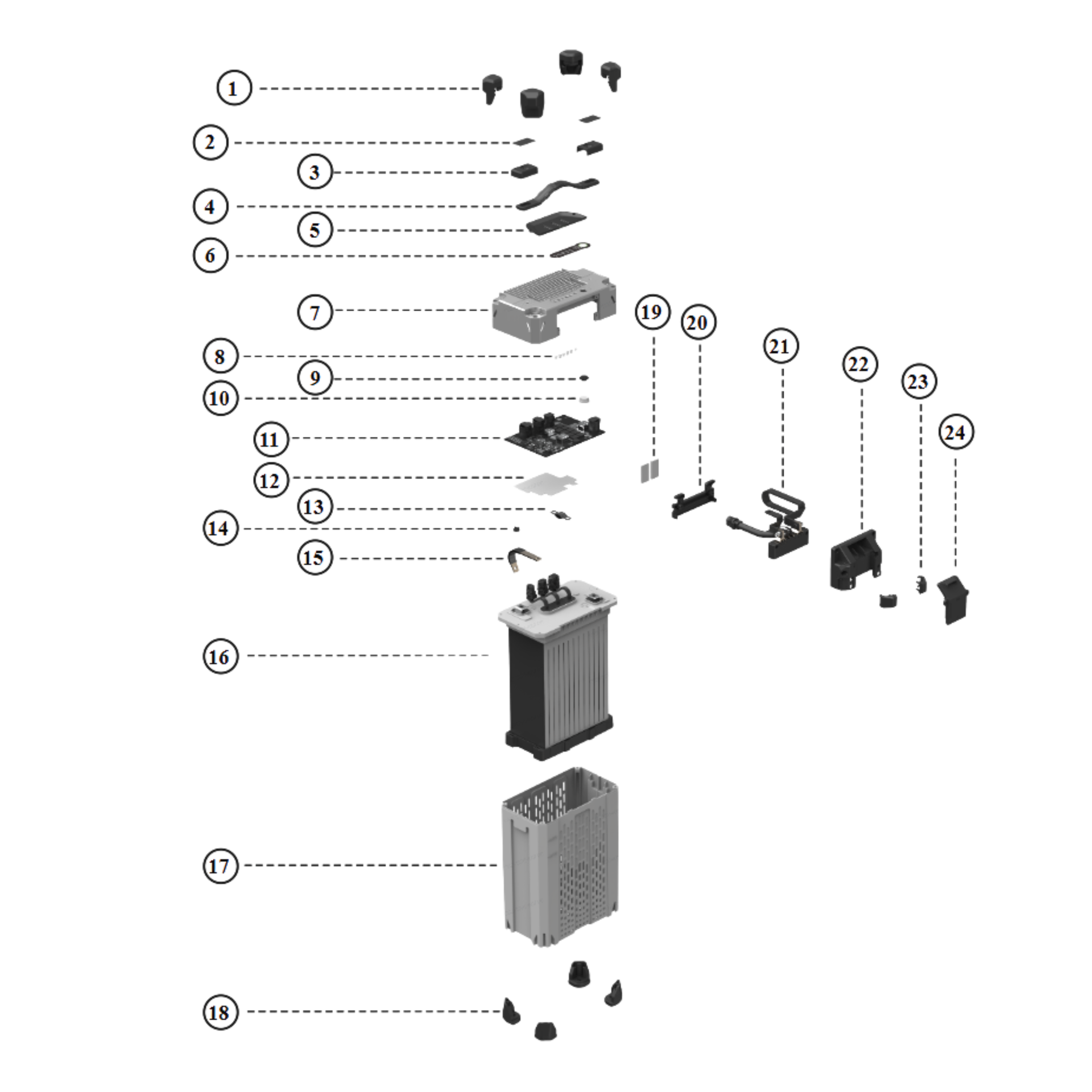
XAG Accessory Products > B13970S Smart Supercharge Battery